
GAMINJA P48 Wireless Controller with Six-Axis Gyroscope, Game Controller for PS4, PS3, Wins 7, 8, 10 Console, Dual Vibration PC Joystick
Black wine red
€17,40
Skip to product information




GAMINJA P48 Wireless Controller with Six-Axis Gyroscope, Game Controller for PS4, PS3, Wins 7, 8, 10 Console, Dual Vibration PC Joystick
€17,40
SPECIFICATIONS
Battery included : YES
Certification : certificate
Choice : Yes
Compatible SONY Model : PlayStation 4 console, PLAYSTATION 3
Hall effect : No
Compatible brand/model : Sony
Joystick Sensor Module Brand : Gloss Poly
Brand name : YLW
Model number : P48 Wireless Gamepad
Origin : CN(Origin)
Package : Yes
Compatible platform : PLAYSTATION, personal computer
Type : Game controllers
Activation Button Type : Non-Linear
Interface type : Bluetooth
• GAMINJA P48 Wireless Controller: The GAMINJA P48 wireless game controller offers a smooth and uninterrupted gaming experience, allowing for precise and comfortable control.
• Six-axis gyroscope: Equipped with a six-axis gyroscope, this game controller provides precise orientation and prevents character rotation in the game.
• PS4, PS3 and PC Compatibility: This game controller is compatible with PS4, PS3 and PC consoles, allowing you to play a wide range of games on different platforms.
• POLYSHINE joystick sensor module: The POLYSHINE joystick sensor module ensures accurate and reliable sensor performance, enhancing the gaming experience.
• Non-linear degassing button: The non-linear degassing button offers variable resistance depending on the pressure applied, providing more precise and customizable control.
• Bluetooth Interface: The Bluetooth interface ensures a stable and fast connection with the console, allowing for smooth, uninterrupted gameplay.

Feature
1) A GamePad connects to the multi-platform, available for P3, P4, PC (Triumph 7, 8, 10)
2) Elegant color with different selection
3) Cyclone buttons, comfortable operation, better experience
4) Sensitive touch pad, new slide experience
5) Double vibration of the engines, violent open shock mode
6) The left and right handles can be rotated 360°, helping with minor adjustments and aiming
7) Multi-player connection, friends/family can share the game or play alone
8) BT4.0 transmission is fast and without delay, getting rid of the wired GamePad
Specification
1) Name: For PS4 Wireless Gamepad
2) Input voltage: DC5V/500mA
3) Operating voltage: DC3.7V/20mA
4) Working time: 8 hours
5) Charging time: 3H
6) Battery Capacity: 600mAh
7) Bluetooth Version: V4.0
8) Transmission distance: ≤ 8M
9) Waiting time: 50 days
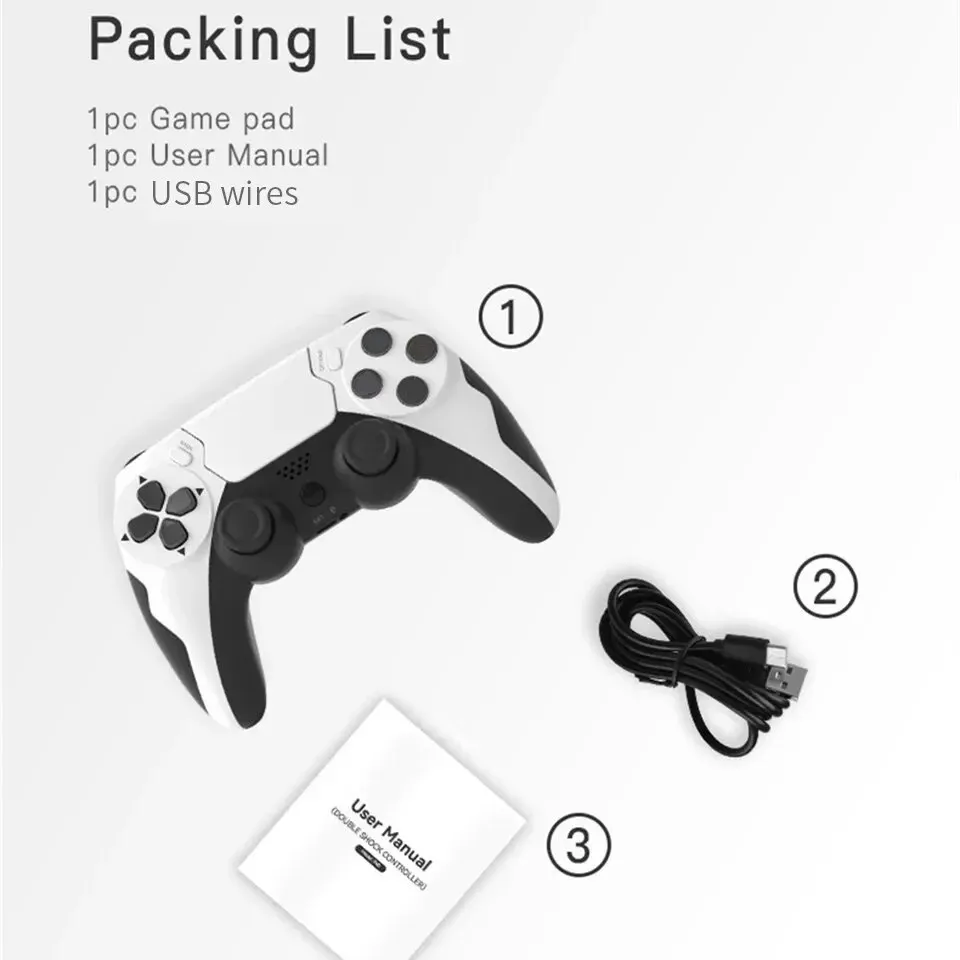
packing list
1PC p48 GamePad
1 PC charging cable
1 PC user manual
Notice: If you have any questions or concerns about our products, please feel free to contact us and we will help you resolve them as soon as possible.
A gamepad connects multiple platforms.
Available for P3, P4, PC (win7, 8, 10)

Elegant colors with different selections
The current trend is stylish colors and different colors can be selected

Cyclone Buttons
The new style designs a better, more comfortable operating experience.

Sensitive touch pad
New soft-touch, multi-interaction slide experience

Double vibration of the engines
They make you feel like you're in the game according to game settings.

Multiplayer connection
Friends and family members can play together or play alone.

BT4.0 multi-platform connection is fast and without delay
The BT4.0 transmission distance <8M signal transmission is fast and without delay, freeing the GamePad from wires

Product parameter
packing list
1PC p48 GamePad
1 PC charging cable
1 PC user manual
Frequently Asked Questions
1) Q: Can it be connected to a phone?
A: No, it can't.
2) Q: Can it connect to Windows 11?
A: No, it can't.
3) Q: How to connect to the P4 console?
A: In sleep mode, connect the controller to the P4 host using the USB data cable to complete pairing. Press the PS button to connect wirelessly. Disconnect the cable for wireless control; the LED will automatically match the controller's LED.
4) Q: How do I connect to the PC?
A: Press and hold SHARE + PS to enter pairing mode. The LED will flash rapidly; search for and connect the wireless controller.